Register Your Team in 3 Quick Steps
Captain only
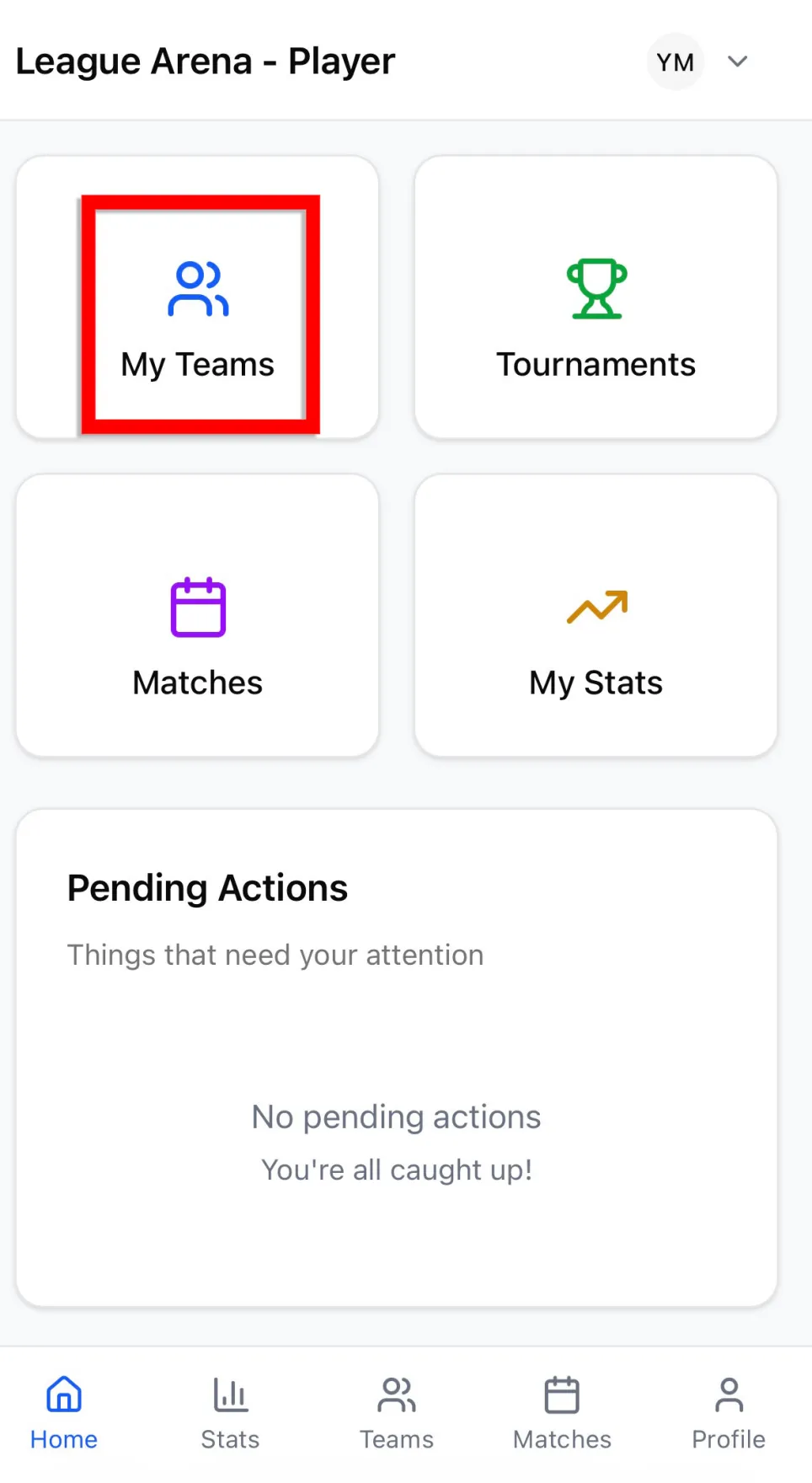
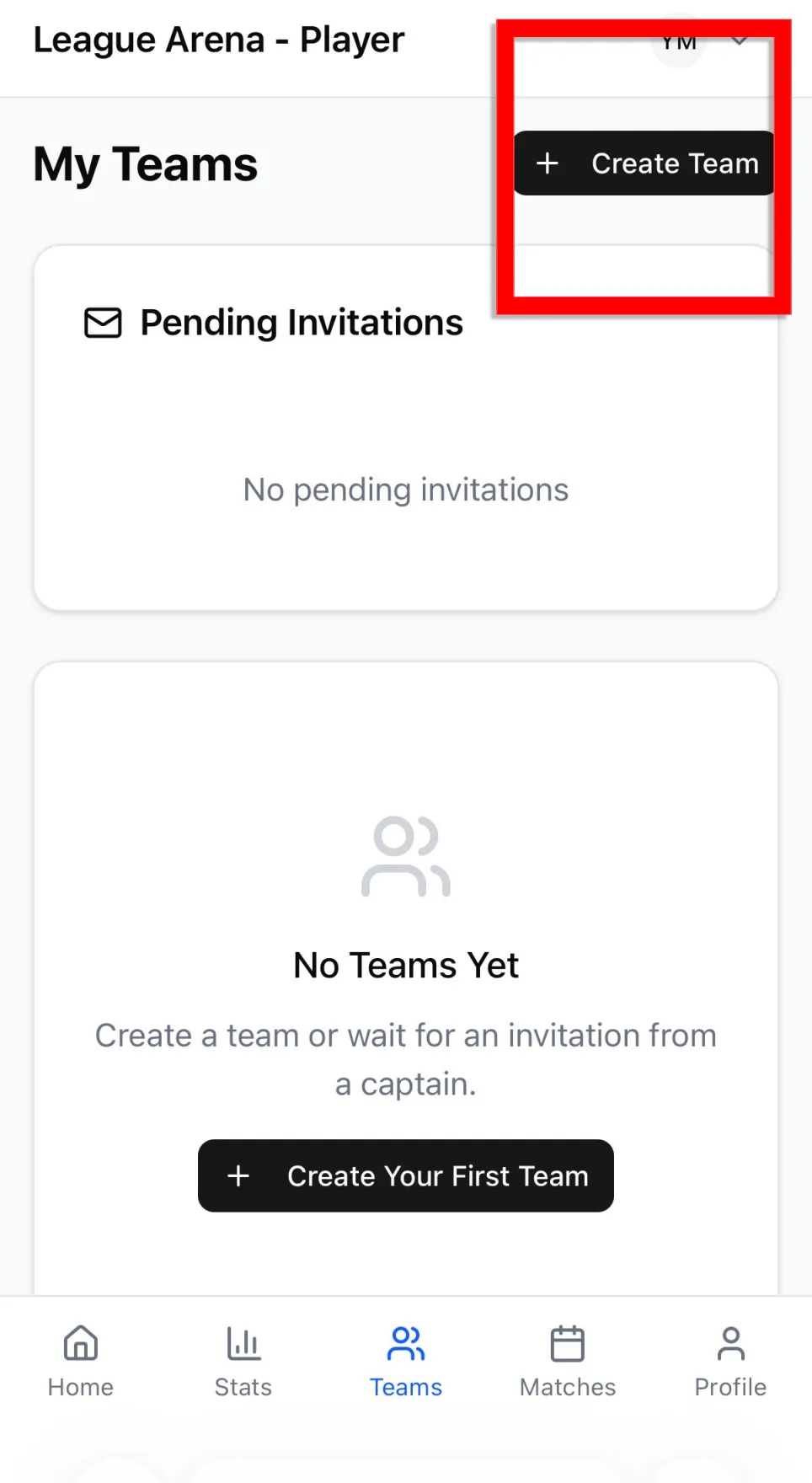
Step 1 — Create Your Team (Captain Only)
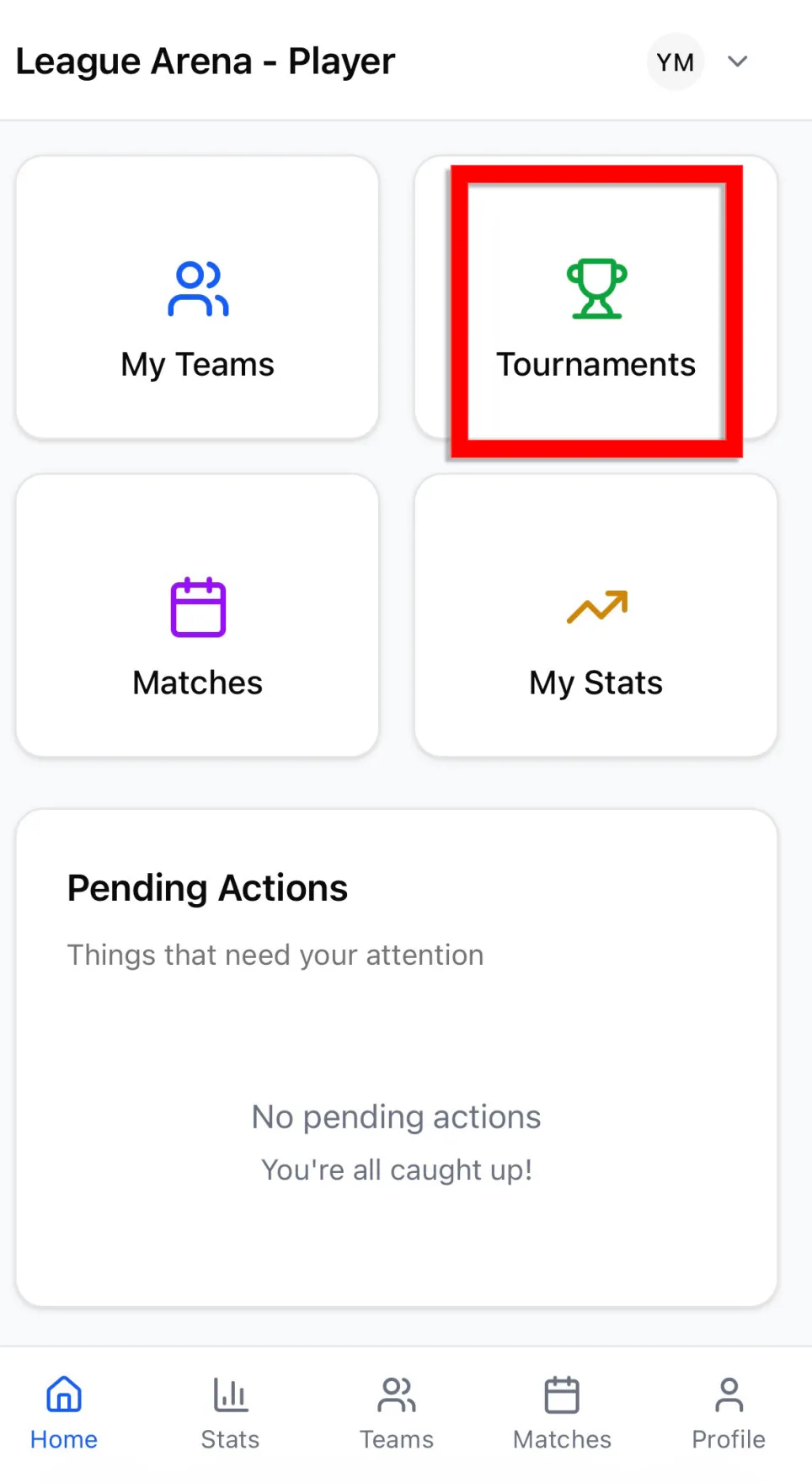
Tap My Teams → Create Team
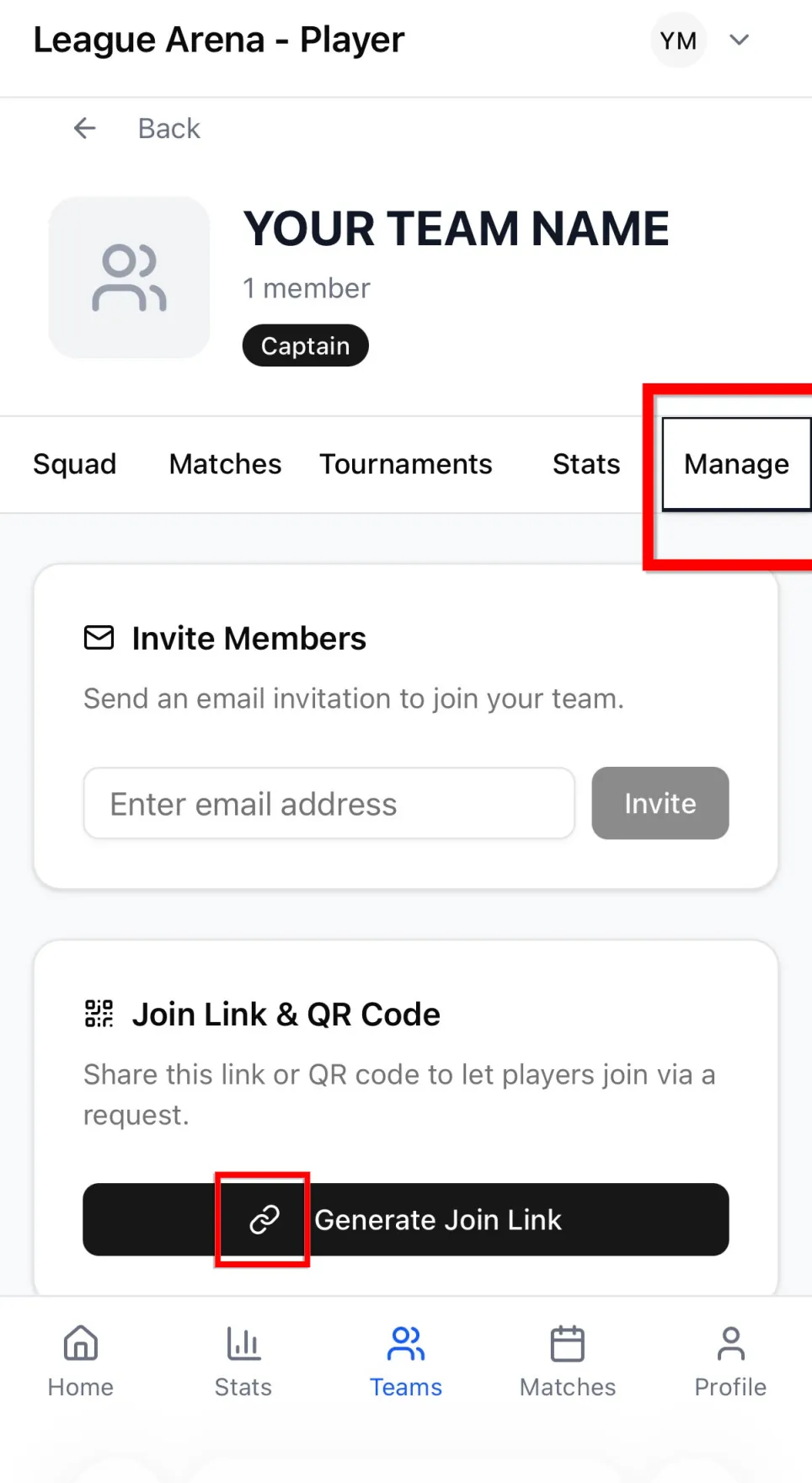
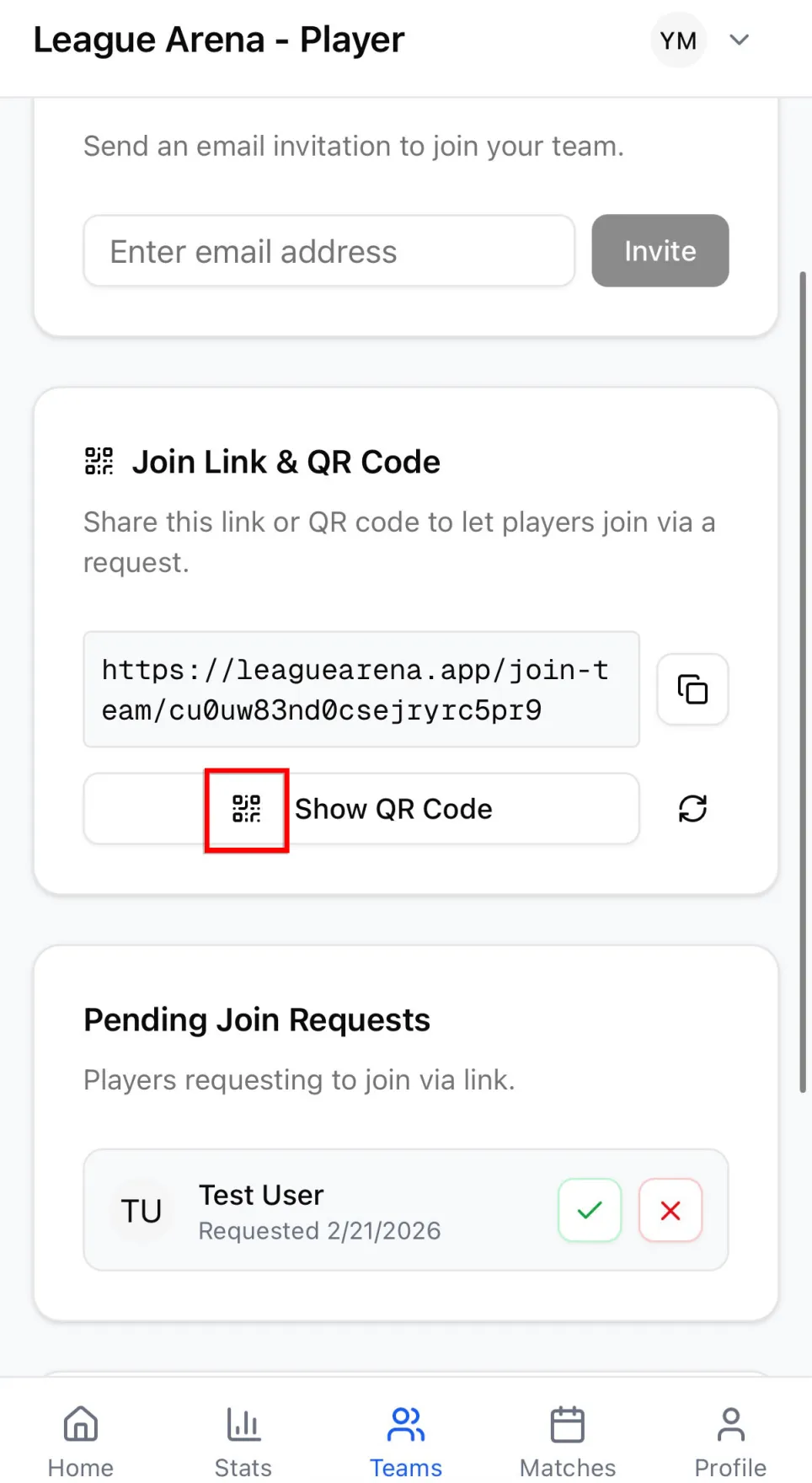
Step 2 — Invite Players & Approve Them
Share your QR code or link → Approve requests
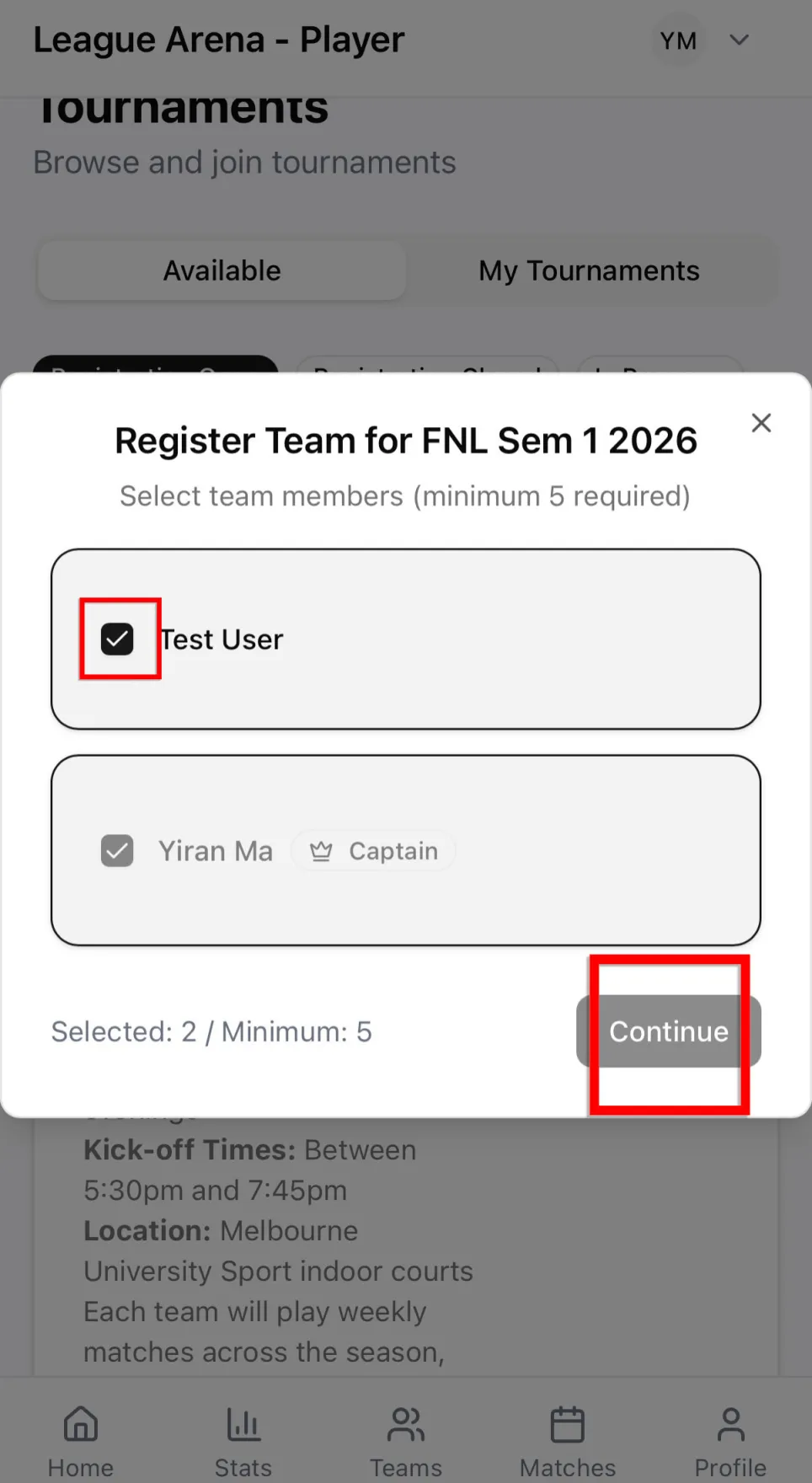
Step 3 — Enter Tournament & Confirm Lineup
Select tournament → Choose players → Tap Continue → Sign
Ready to go?
Register with the following link:
https://www.leaguearena.app/auth/login?role=player